Diary for you and your team
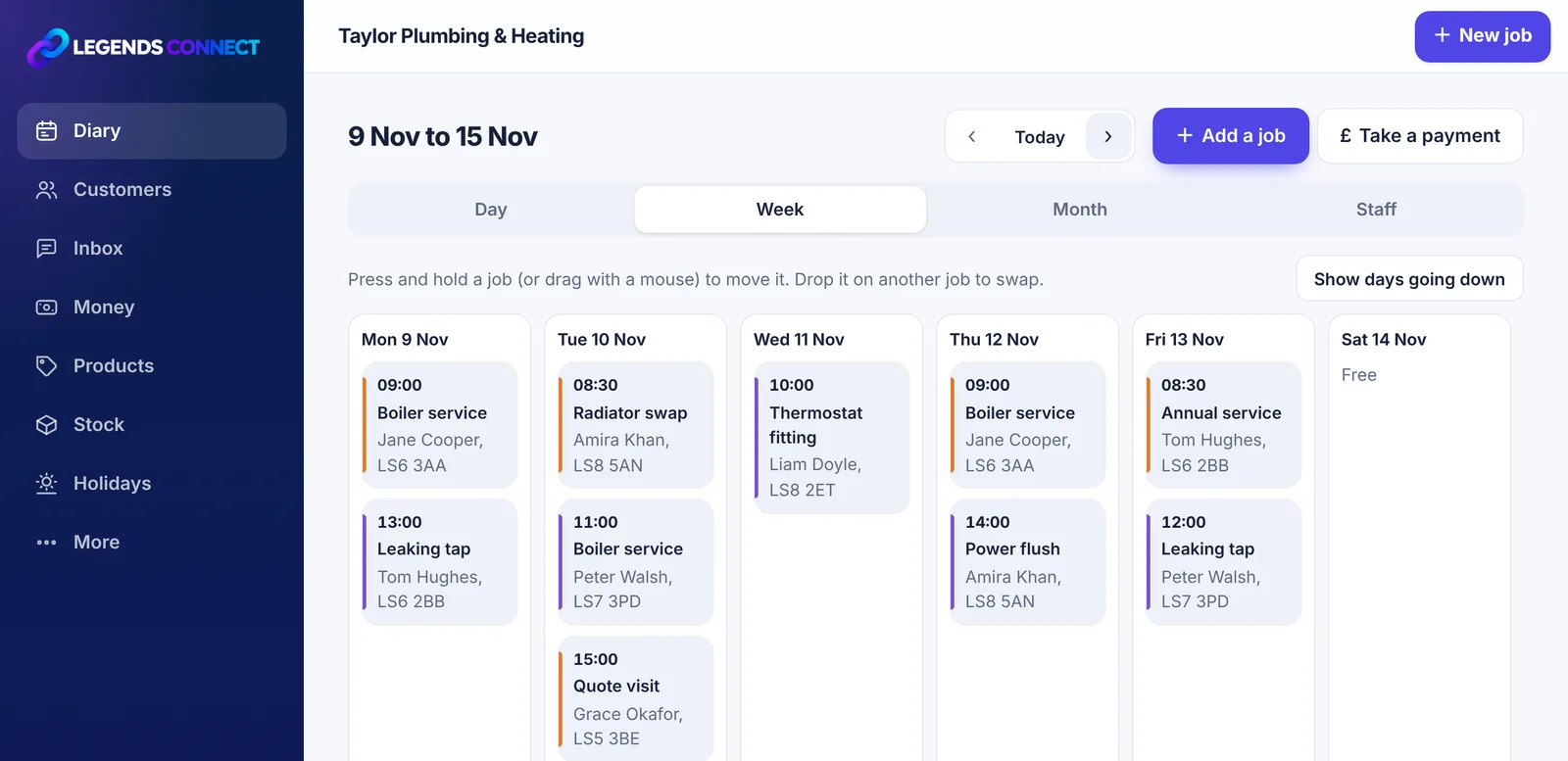
Day, week and month views, or one row per person. Press and hold a job to move it, or drop it on another to swap.

Legends Connect is the diary, booking page and invoice book for sole traders, small teams and growing businesses. Side hustles welcome. Customers ask to book online, you get told straight away, and the job flows through to the invoice and your accountant.
Free plan for ever. No card needed. Works on phones, tablets and computers.
Booking page, diary, getting paid, staff and holidays, all in one quick look.
This is one job, start to finish. Swipe along to follow it.
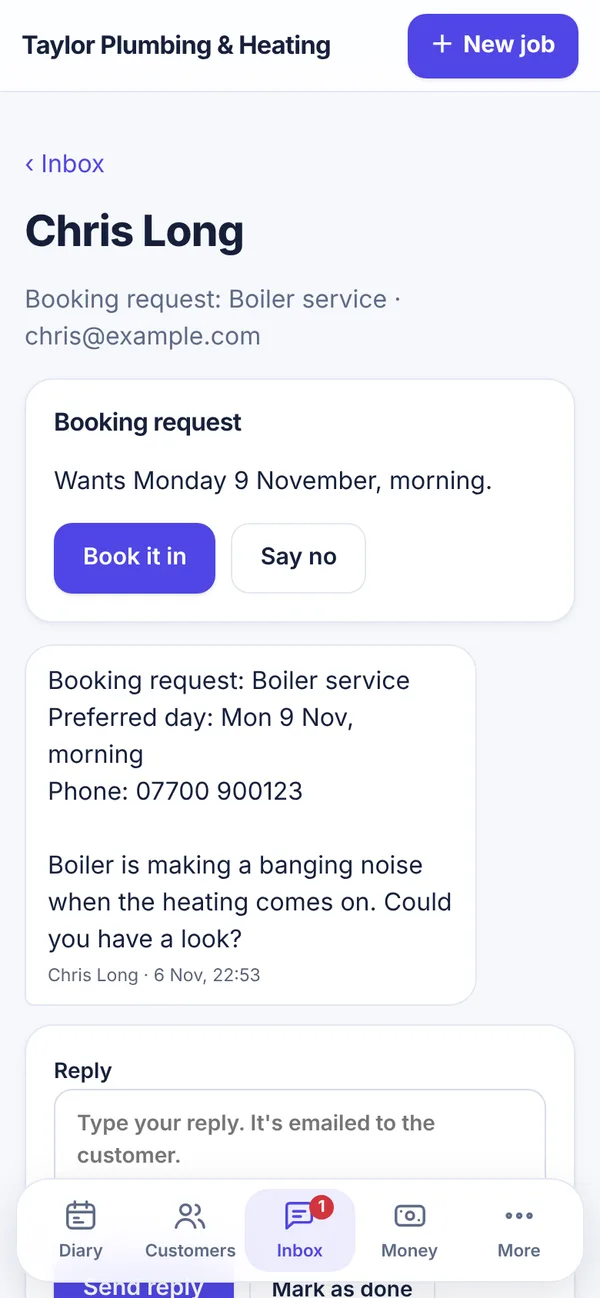
They use your own booking page. You can share its link on Facebook, Instagram or WhatsApp. You get a notification, and their request lands in your inbox.
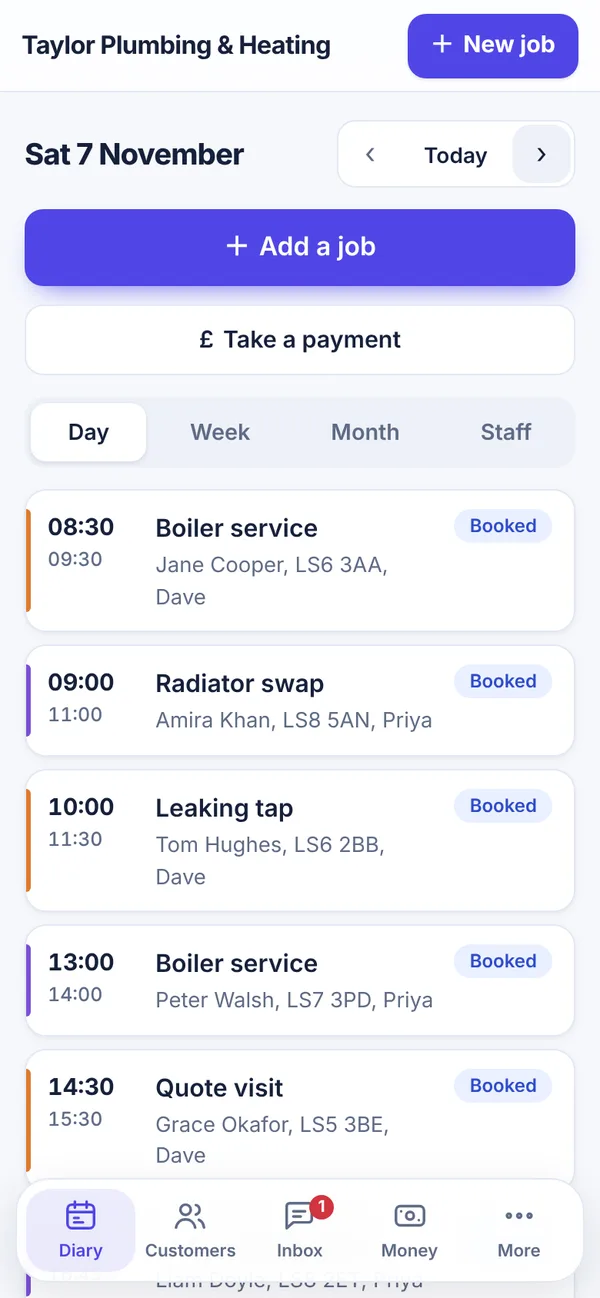
It goes straight into the diary, and the customer gets an email to say they're booked. Drag a job to move it, or swap it with another.
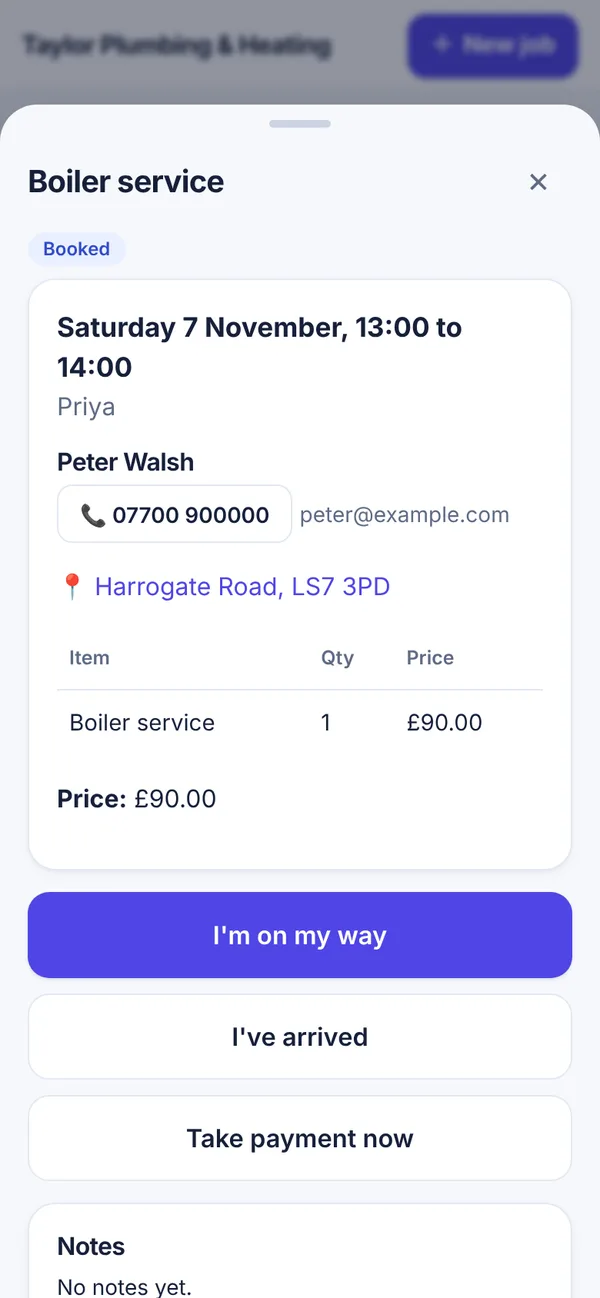
One tap, and the customer gets a link to watch you coming on a map, with a time you'll get there. No more "where are you?" calls.
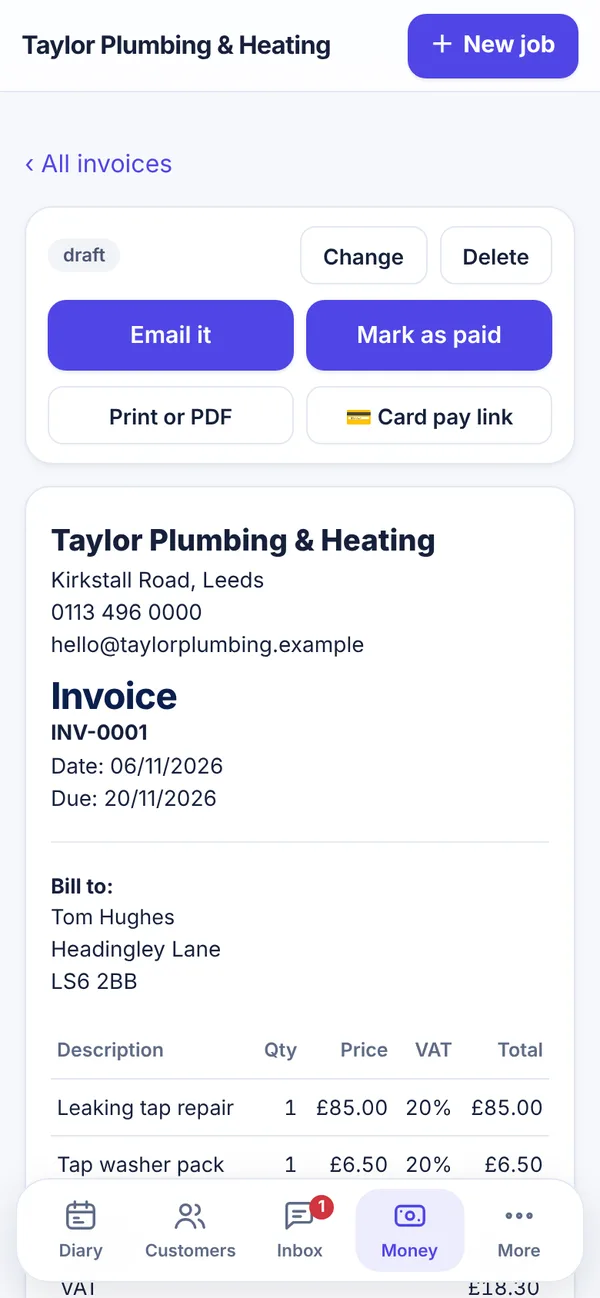
Take cash, card or a bank transfer on the spot, or send a proper invoice in one tap. Unpaid invoices are easy to see.
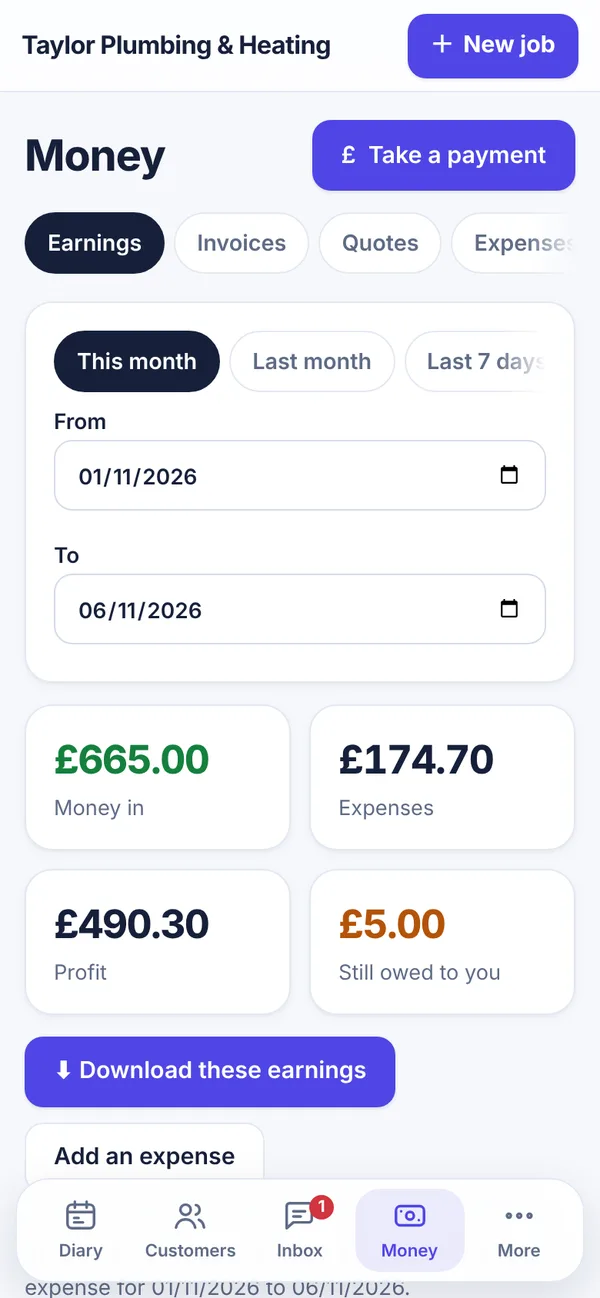
Money in, expenses and profit for any dates you pick. Download them for Excel, Xero or QuickBooks.
Built for people who'd rather be doing the job than doing the paperwork.
Day, week and month views, or one row per person. Press and hold a job to move it, or drop it on another to swap.
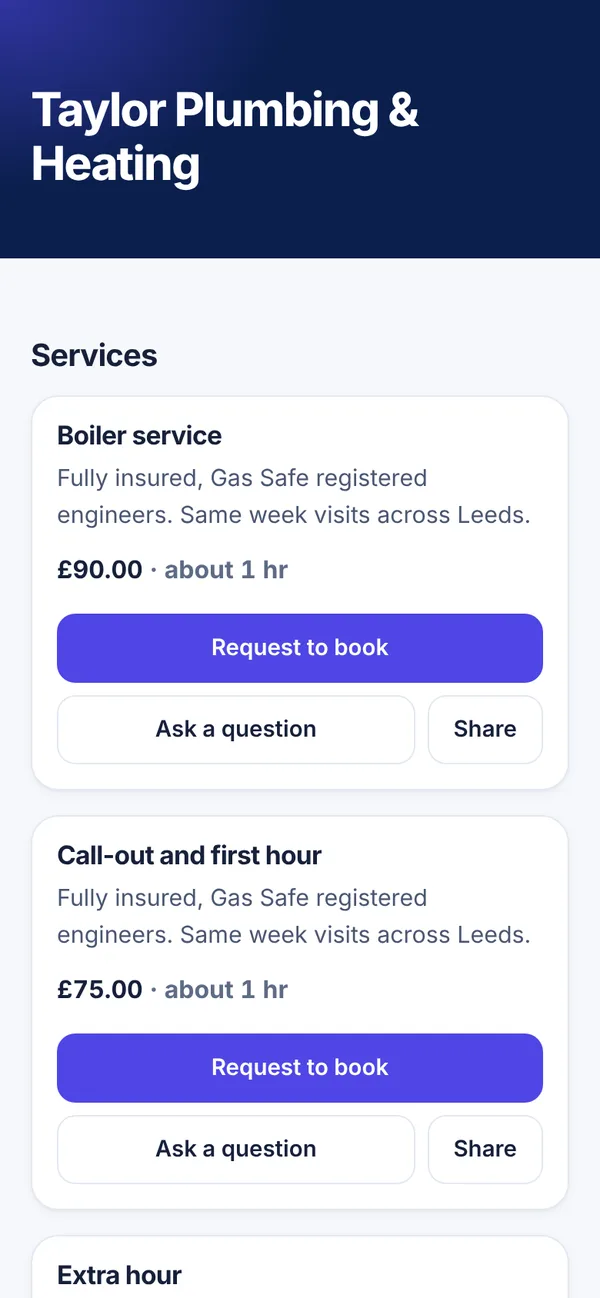
Your services, prices and photos on one page, with your colours. Customers can ask to book or ask a question, with no account needed.
Booking requests and questions in one place. Reply from the app and it's emailed to the customer.
Quotes customers can accept online, and invoices with VAT and your bank details. Mark them paid, even after the money's in.
Connect your own Stripe account. Tap "Take a payment" for a quick job, then show a QR code, send a link, or type in their card. Receipts are emailed for you.
After each job, your customer is asked for a star rating. Only real customers can review you, and the stars show on your booking page.
Customers see you coming and when you'll arrive. Location is only shared on the way to a job, is deleted after 24 hours, and you can switch it off.
Keep a count of what's in the van or shop. It goes down by itself as jobs are done, and warns you before you run out.
When things run low, tap "Order what's low" and email the order to your supplier.
Add fuel, parts and other costs as you go. See your profit for any dates, and download it for your accountant.
Staff ask for time off in the app and you approve it, with days left worked out for you. Track DBS, right to work and licence checks, with reminders.
Already use Google, Outlook or Apple calendar? Bring your bookings in once, or keep a calendar linked so it updates every hour.
Give each person their own login. Staff see their own jobs, and the office sees everything. Every change is in the activity log.
Get told about new bookings, messages and payments on your phone, even when the app is closed.
Lost signal in a basement? Keep going. Anything you do is saved and sent when you're back online.
Plan the week on a big screen and see everyone at once. Each person gets a simple app with their jobs for the day, big buttons and the customer's address one tap away.
One price per business, not per person. Try any paid plan free for 7 days. Add a card to start, cancel before the 7 days end and you pay nothing. One free trial per business.
£0 for ever
To get started on your own.
£8.99 a month
For sole traders who want it all.
Most popular
£18.99 a month
For teams out on jobs.
£28.99 a month
For growing teams and more than one base.
£48.99 a month
For bigger firms. No limit on staff.
24/7 support on every plan: we always aim to reply within 1 day, and higher plans are answered first. No VAT is added to these prices. Cancel any time: you move to Free and keep all your data. Card payments from your customers go through your own Stripe account, and Stripe's fees are paid to Stripe.
Our App Store and Google Play apps are on the way. Until then, add Legends Connect to your home screen. It opens just like an app, full screen, with notifications.
Notifications on iPhone need iOS 16.4 or newer, and only work when you open Legends Connect from the home screen icon.
Open the app
Legends Connect is made by Stanley Apps Ltd, a UK company registered with the Information Commissioner's Office. Your records belong to you.
Read our privacy noticeYes. The Free plan is free for ever, with no card needed. It covers the diary, customers, your booking page and up to 5 invoices and 5 quotes a month. Paid plans add more, and you can try one free for 7 days (a card is needed, and you can cancel before you're charged).
No. They book, ask questions, accept quotes and view invoices from a link, with nothing to download and no password.
Any business, however small. Side hustles and people selling from home or on Facebook are welcome, and it doesn't matter if you have one customer or thousands. It suits anyone who books in customers: trades, cleaners, hair and beauty, mobile services, gardeners, pet care, repair shops and small shops. You name your own services, prices and categories.
Yes, on paid plans. You connect your own Stripe account, then send a payment link or show a QR code for the customer to scan. Customers can pay with Apple Pay or Google Pay, or you can type their card details in for them. Tap "Take a payment" for a quick job on the spot. The money goes to you, and Stripe's fees come out of each payment.
Yes. After a job is done, your customer gets an email with a link to leave a star rating. Only real customers can review you, so every review is genuine. Reviews and your average stars show on your booking page, and you can reply to each one.
On a paid plan, go to More → Share and get your plan free to get your link. For every business that joins from it and pays, you get 25% off your plan each month they keep paying (25% of their price if their plan is cheaper). Each month counts once it's been paid for 30 days, and it comes off your next bill by itself, up to 100% off. The page shows who joined, who is paying and who has stopped. It only counts plans paid by card on this website. Plans bought in the iPhone or Android app (App Store or Google Play) don't count, for you or your friends. A plan paid on the website works in the iPhone and Android apps too, with the same login.
Every business can try one paid plan free for 7 days. You add a card to start, and you're only charged when the 7 days end. Cancel before then and you pay nothing. Cancel later at any time and you move to the Free plan, keeping all your data.
Yes. Invoices and quotes show your logo, VAT if you're registered and your bank details. Customers can pay by card from the invoice. Receipts are emailed when you take a payment, and you can mark an invoice as already paid.
Yes. Bring in your Google, Outlook or Apple calendar with a file, or a private calendar link that keeps it up to date every hour.
No. The live "on my way" map is optional, and you can switch it off for your whole business. Customers are still told you're on the way.
Yes. Staff ask for holiday in the app and you approve it. Everyone's days left are worked out for you. You can also track DBS checks, right to work and licence checks, with reminders before they're due.
Yes. Give each person their own login. You choose what they can see. Staff can see just their own jobs, and keep customers and money hidden.
Yes. Your diary still opens, and anything you do is saved on your phone and sent when you're back online.
They're on the way. For now, add Legends Connect to your home screen and it works just like an app, with notifications. See how.
Stanley Apps Ltd, a small UK company that also makes Legends Health and Little Legends. Support is by real people, Monday to Friday, 9am to 5pm.

Set up in a few minutes. Free for ever on one person. Try any paid plan free for 7 days.
Create a free accountNo chatbots. We reply Monday to Friday, 9am to 5pm.
WhatsApp us Email us Call 07544 075585